Mirror drawing
Paint both sides of an axis at once.
Enable Vertical Mirror or Horizontal Mirror from the Tools menu or their top-bar icons. They are available with drawing tools. Both can be active at the same time.
The names describe the axis:
- Vertical Mirror: a top-to-bottom line; drawing on the left is repeated on the right.
- Horizontal Mirror: a left-to-right line; drawing above is repeated below.
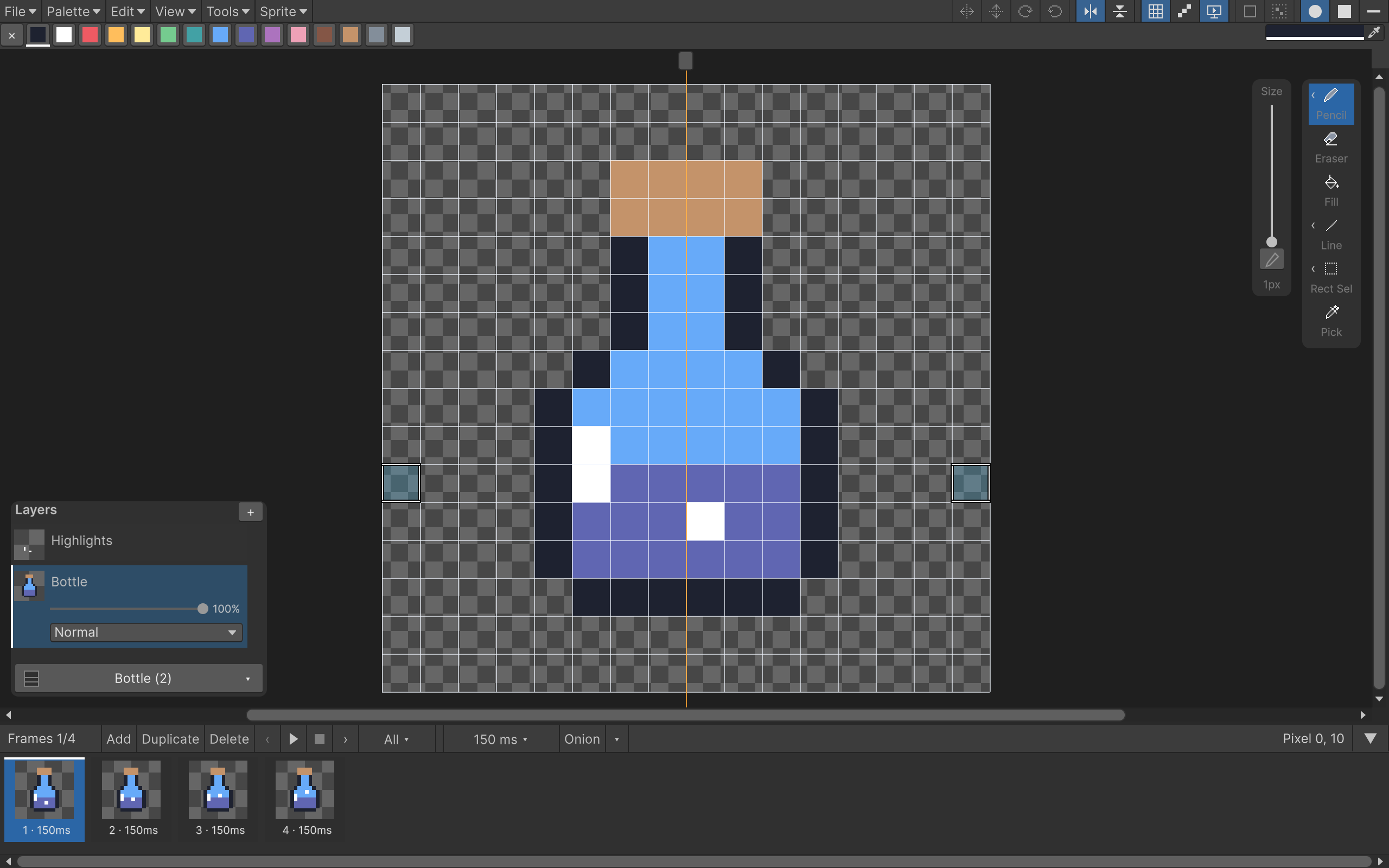
Each line has a handle outside the drawable canvas. Drag the handle to move that axis. The hover preview helps you see the resulting brush footprint before painting.
Try it on the potion
Create an empty layer above Bottle. Enable Vertical Mirror and place the axis through the middle of the 16×16 canvas. Pick a color and paint a small mark on one side. You should get its partner on the other side during the same stroke.
Undo removes the complete mirrored stroke. Turn the mirror off before adding asymmetrical details, such as the highlight on the left of the bottle.
Mirror drawing affects new strokes; it doesn't mirror pixels that were already there. For existing artwork, make a selection and use Flip Horizontal / Flip Vertical instead.
Mirrored painting still respects the selection, canvas boundaries and layer locks. The axis itself is only a guide and isn't exported.